Manage Databases
To enhance your gaming experience, our game servers allow you to create databases for add-ons and plugins via a user-friendly control panel.
- Each server includes a free SQL (MariaDB) database.
- Need additional databases? Our support team is here to assist.
- Note: Databases are for server use only and cannot be used for external purposes like website hosting.
Creating a Database
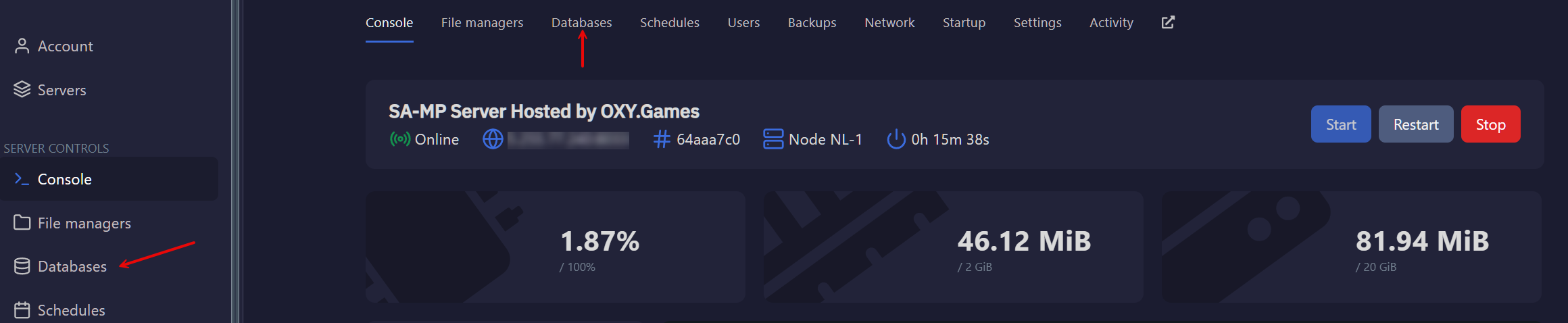
- Navigate to the Database section in the control panel.
- Click on New Database.
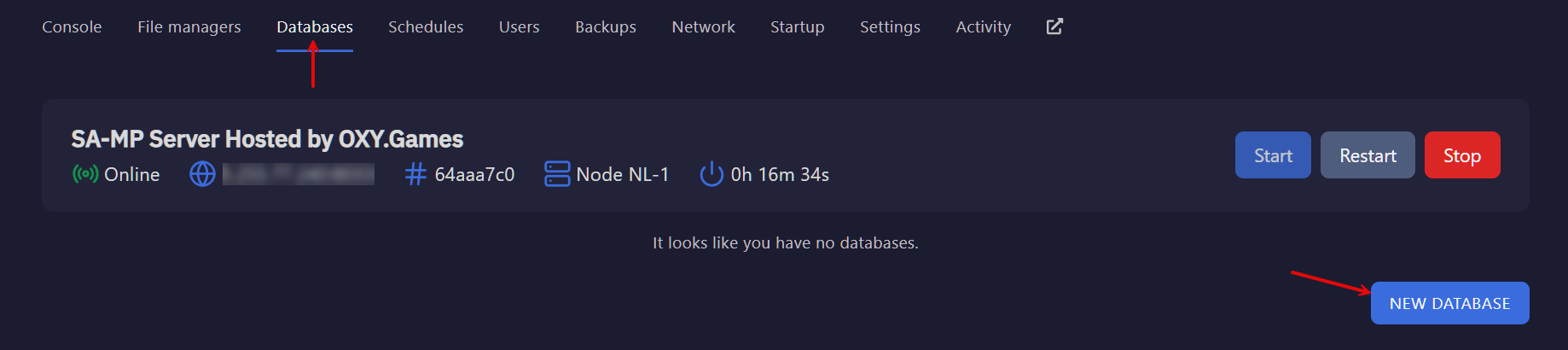
- A pop-up will appear where you can:
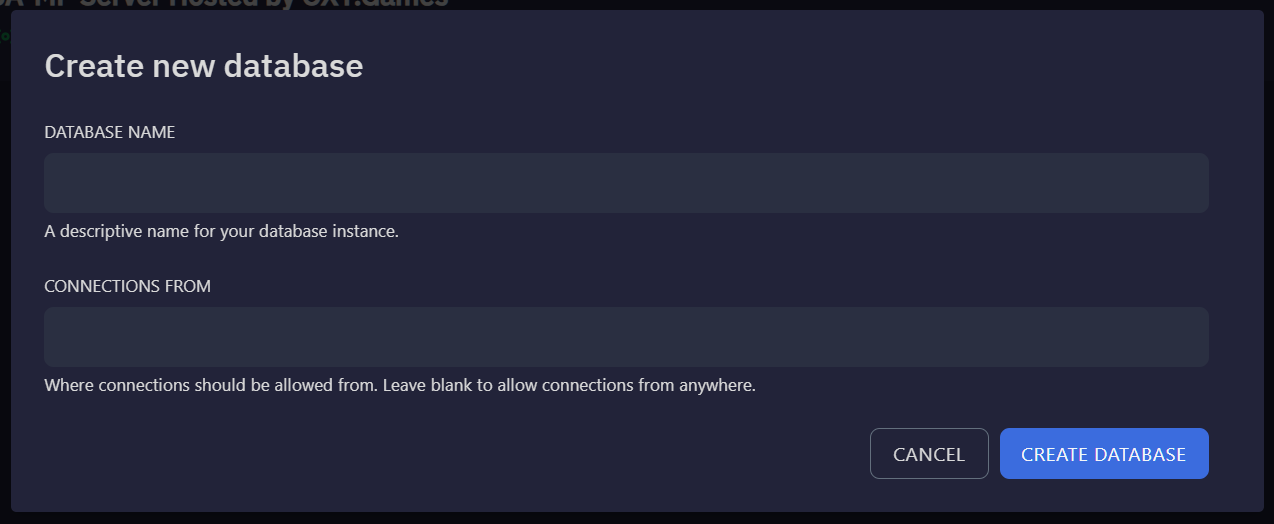
- Name your database.
- Set allowed IP addresses for security.
- Leaving the field blank allows connections from any IP, but it's recommended to restrict access to your game server’s IP.
Managing Your Database via phpMyAdmin
Once your database is created, it will appear in the list. Click on the icon to view its details.

Using Your Database
- The database can be used for in-game connections, mods, or scripting.
- You can also connect remotely using SQL clients like HeidiSQL or MySQL Workbench.
phpMyAdmin - Web-Based Management
We provide a central web-based database manager using phpMyAdmin, allowing you to:
- Create and manage tables.
- Add, edit, and delete content.
- Execute SQL commands.
- Perform full database imports and exports.
All these features are accessible from a single location:
👉 Database Manager - OXY.Games
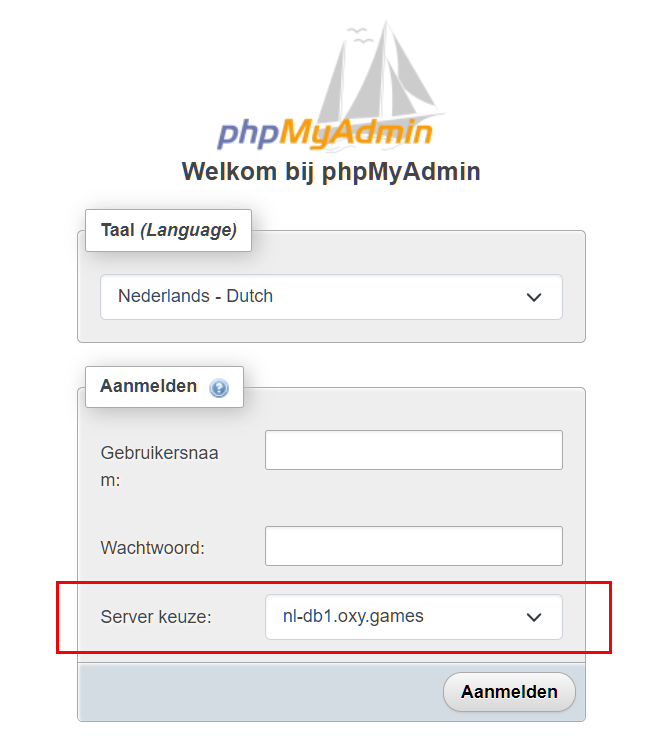
When logging in:
- Use the credentials from your control panel.
- Ensure the server selection is set correctly.