Manage Subusers
How to Add a New Sub-User
Welcome to the quick and easy process of adding a new sub-user to your account! Just follow these simple steps to get your new team member up and running:
Steps to Add a Sub-User
-
Log In to the Control Panel:
Start by accessing your main control panel. -
Access the Users Menu:
Navigate to the Users option in the main menu to manage user settings. -
Initiate New User Addition:
Click on Add New to begin the process of creating a new sub-user.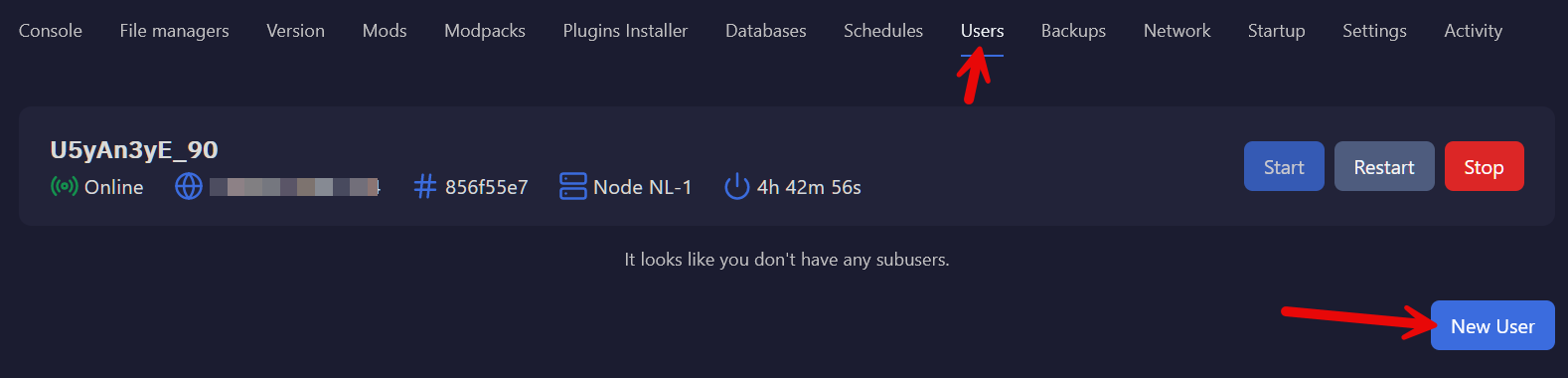
-
Enter User Details:
Input the email address of the new user; this is essential for their account setup.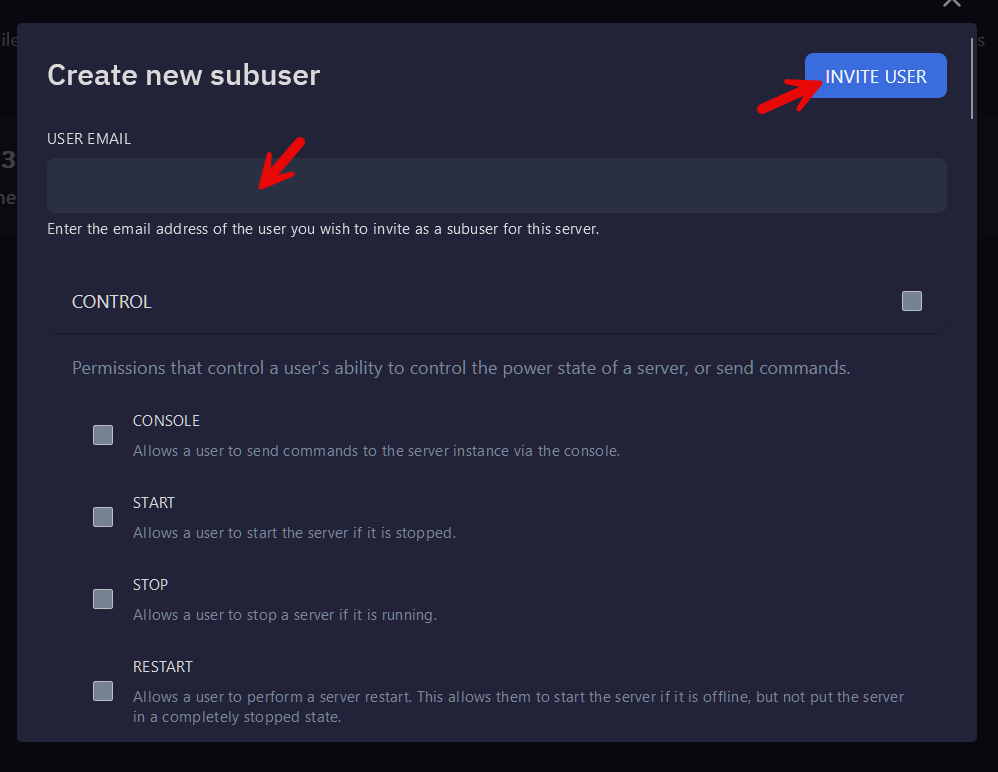
-
Set Access Privileges:
Choose the appropriate access privileges to ensure the new user has the right tools and permissions. -
Send Invitation:
Click on the Invite button to send a welcome email to the new user.
Once completed, the new user will receive an email containing a welcome message and a link to set up their password. They'll be ready to join your team in no time!