Reset Your Game Server
If you ever need to reinstall your server and restore it to its original configuration, it's a straightforward process. Just follow these steps:
Steps to Reinstall Your Server
-
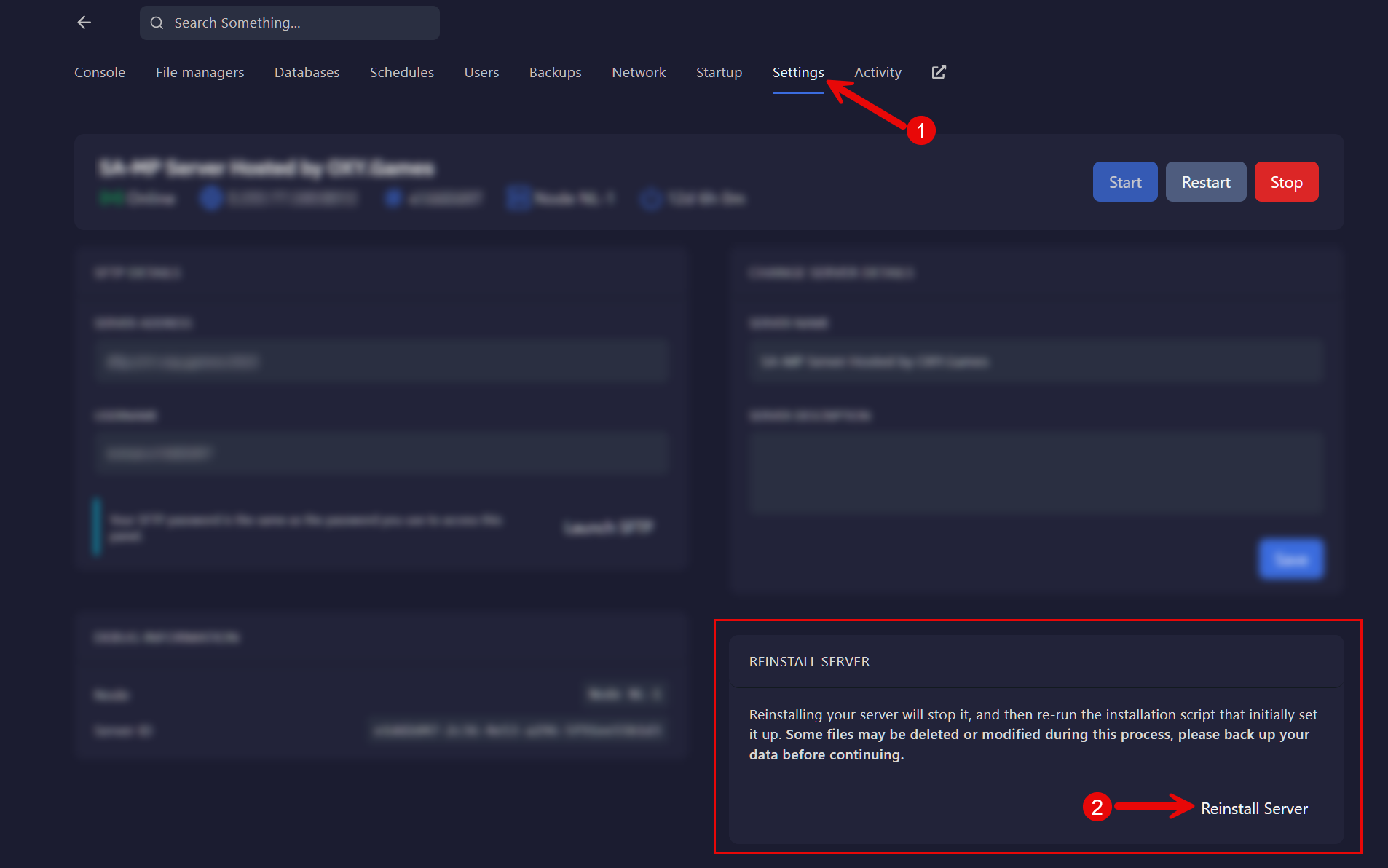
Go to the Settings Section
Navigate to the Settings section in your control panel. -
Click on "Reinstall Server"
Look for the Reinstall Server button and click on it.
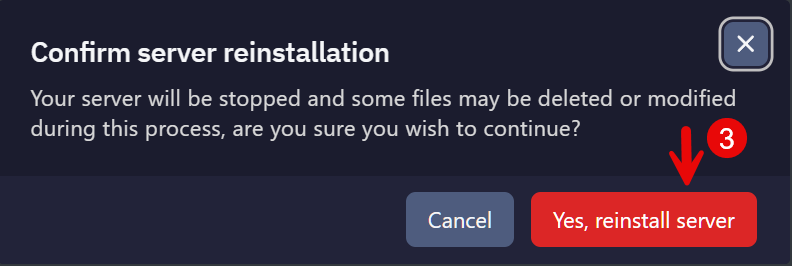
- Confirm Reinstallation
Please be aware that all server files will be lost after the reinstallation. To proceed, click on Yes, Reinstall Server.
By following these steps, you can easily reinstall your server and start fresh with the default configuration.