Manage Server Files
You have full access to your server's files, available through two methods:
- File Manager – A web-based tool in the game control panel for easy file management and editing.
- SFTP Client – A secure method for file transfers and management.
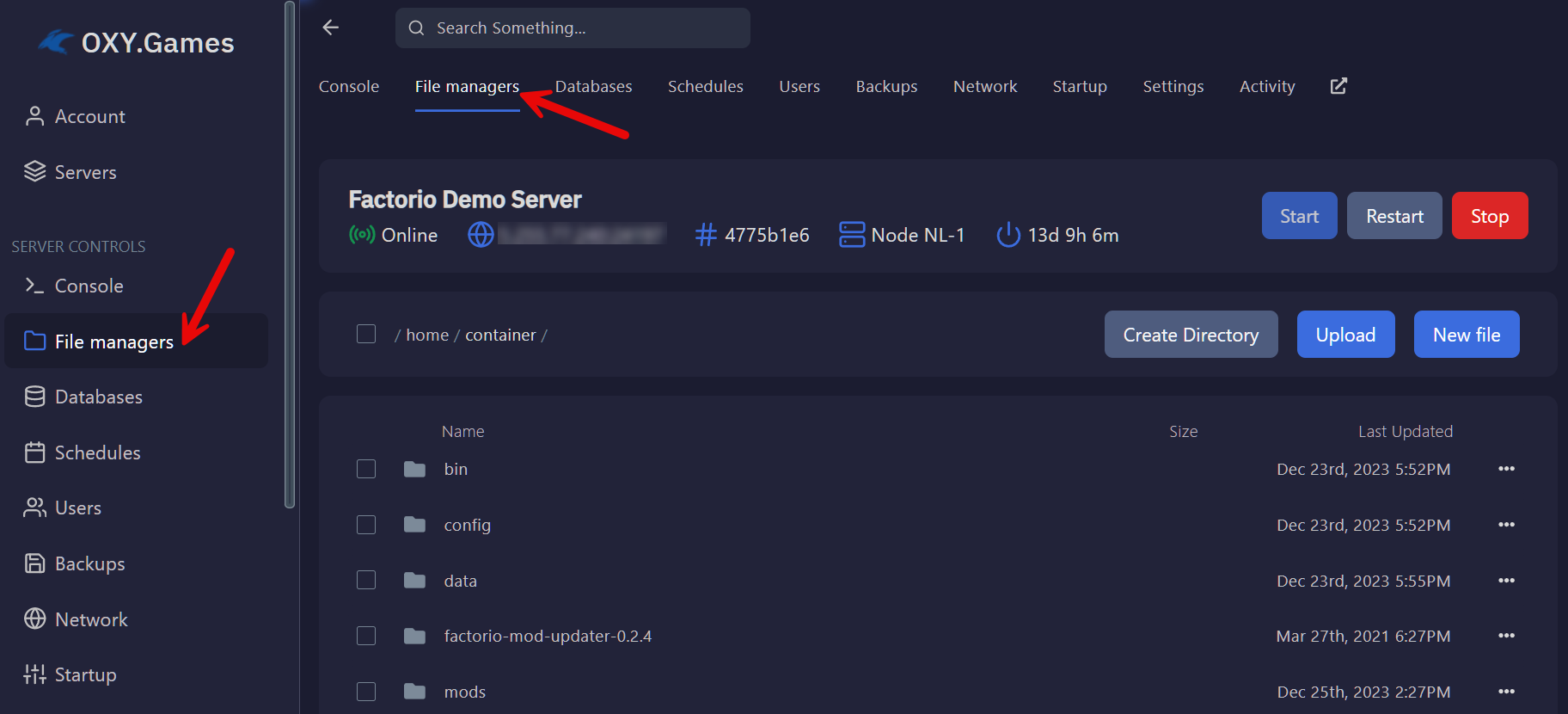
File Manager - panel.oxy.games
Your game server's control panel includes a File Manager feature for managing your server files.
How to Upload Files
To upload files from your local PC to your server:
- Click the Upload button in the File Manager.
- Select multiple files for upload.
Alternatively, drag and drop files directly into your browser.

How to Edit Files
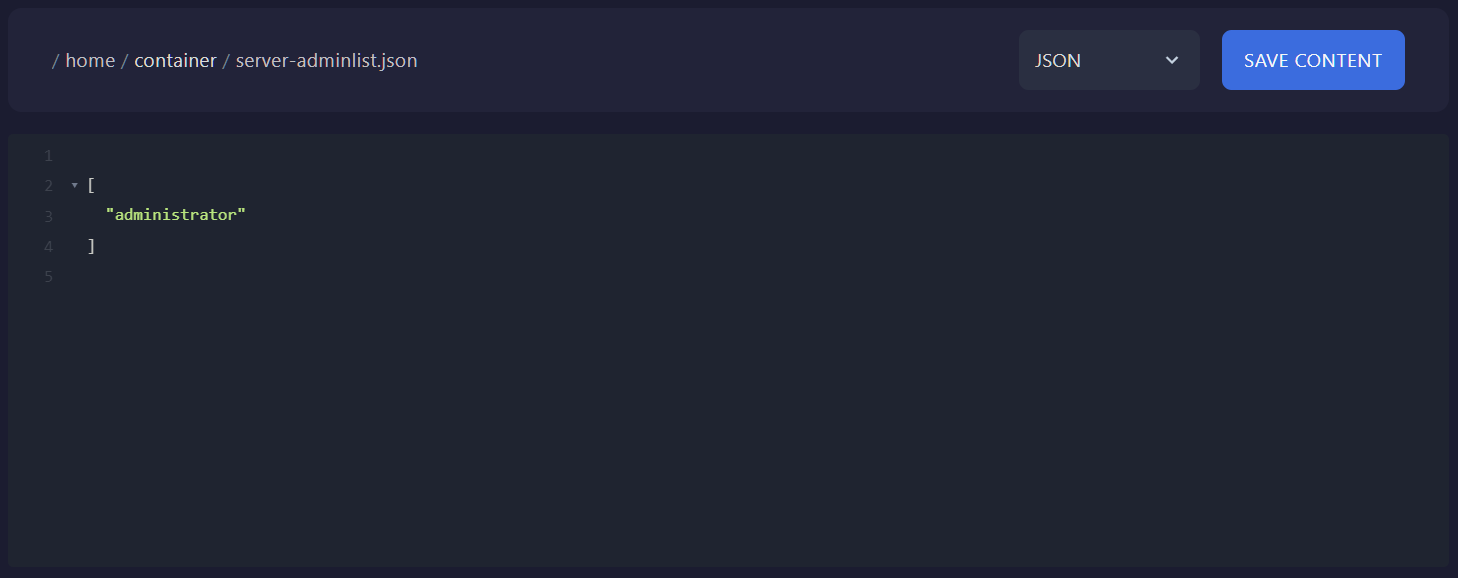
- Click on a file name to open it for editing (if editable).
- The built-in file editor provides:
- Automatic syntax recognition
- Visual highlighting for improved readability
- Save changes regularly.

How to Use an SFTP Client
SFTP (Secure File Transfer Protocol) provides a secure method for managing your files remotely. Full SFTP access is included with all game servers.
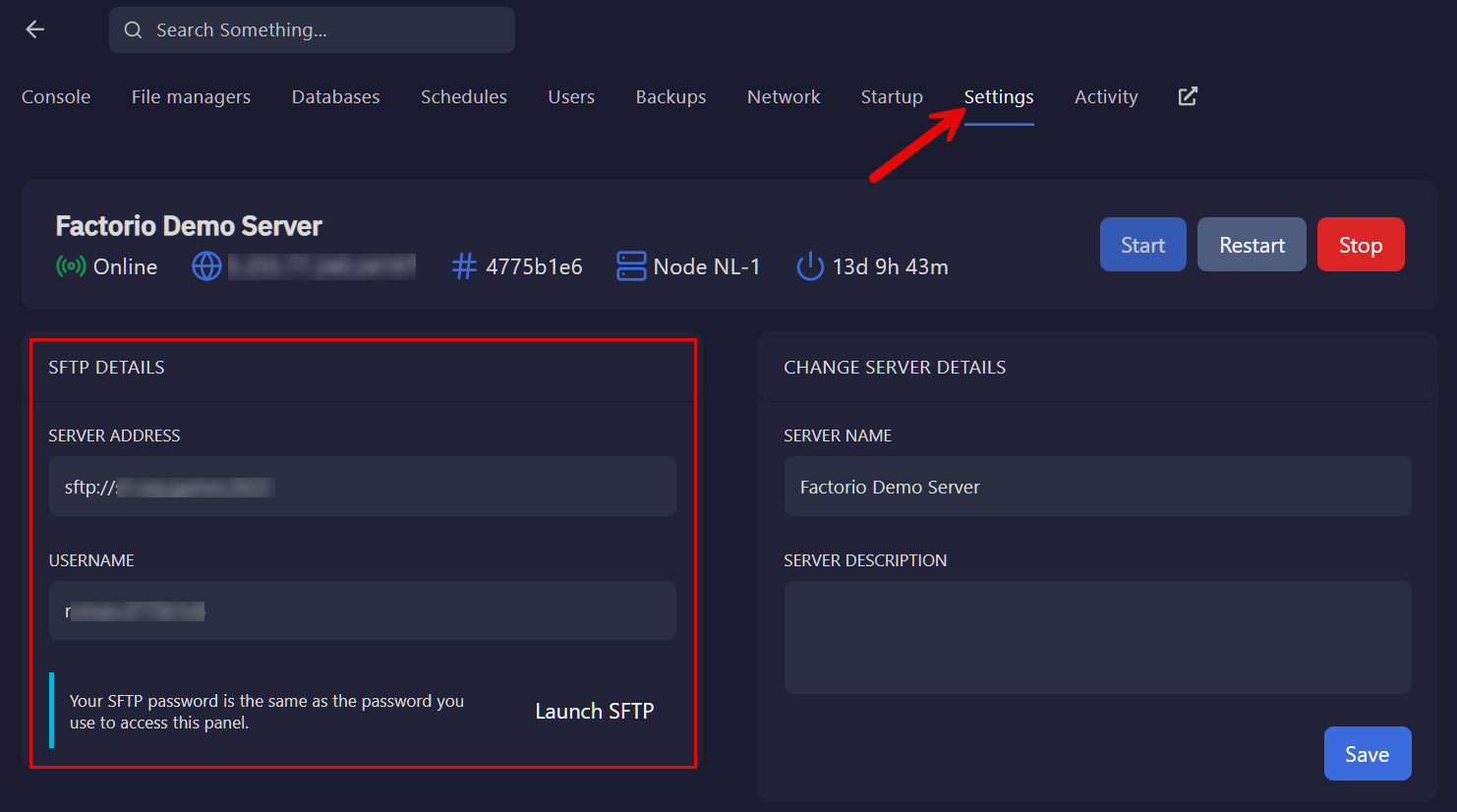
Finding Your SFTP Credentials
- Navigate to the Control Panel.
- Go to Settings to find your server address and username.
- The SFTP password is the same as your game control panel login.
Recommended Free SFTP Clients
For a full list of SFTP clients, visit:
https://www.sftp.net/clients